• Timeline: Jan-Apr 2023
    Role: Designer

    The Challenge

    Our team was tasked with designing a Living Lab classroom for Wilfrid Laurier University students. The goal was to create a space where students could observe court sessions, participate in mock trials, and engage in independent or group work.

    The design needed to provide independent and collaborative learning spaces, ensure accessibility for all students, and support flexible access to court documents (both physical and digital).

    My Contributions

    I focused on research, design development, and accessibility:

    • Research Support: Assisted in creating surveys and focus group questions to gather insights from students.
    • Design Development: Contributed to wireframes, prototypes, and design solutions that prioritized individual workspaces and accessibility.
    • Accessibility Features: Helped implement feedback such as providing physical and digital access to court documents.

    Research Methods

    Surveys

    • Purpose: Understand student expectations, pain points, and preferences for the Living Lab.
    • Execution: Scenario-based, closed-ended, and open-ended questions to test feature prioritization and gather suggestions.

    Focus Groups

    • Purpose: Engage students in Criminology and Mock Trial programs to gather targeted feedback.
    • Execution: Students interacted with low-fidelity prototypes, placing sticky notes on areas for improvement. Key questions included:
      • Where would you access case details if you want to avoid specific content?
      • Where would you go for help understanding live text in the lab?
      • Which features are unnecessary or missing?

    Participant Breakdown: 20 students total

    • 5 in focus groups
    • 15 across three surveys
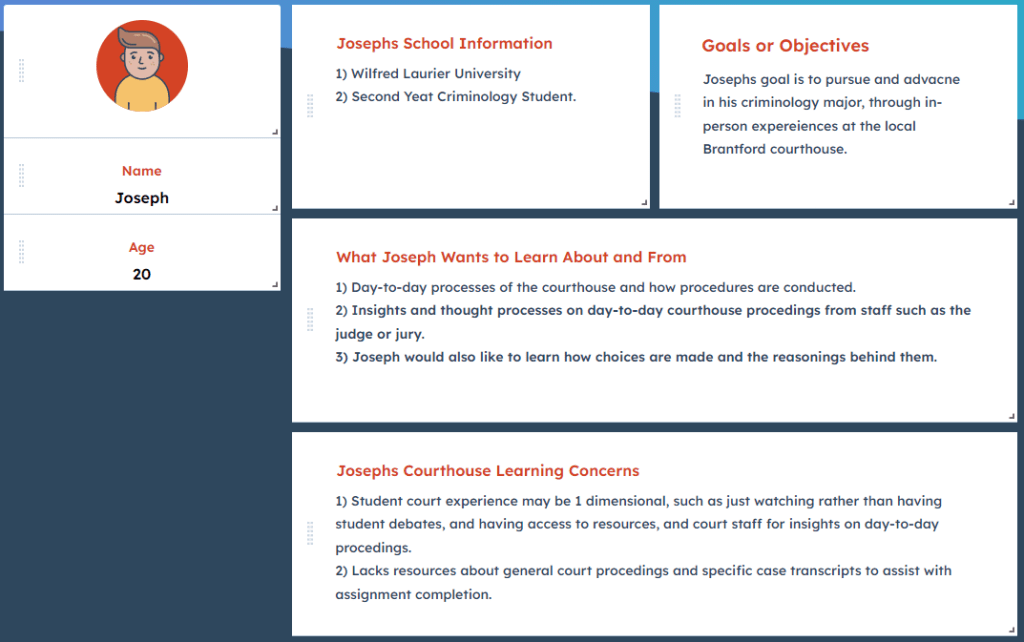
    User persona representing a typical student and their needs, created from survey and focus group insights.
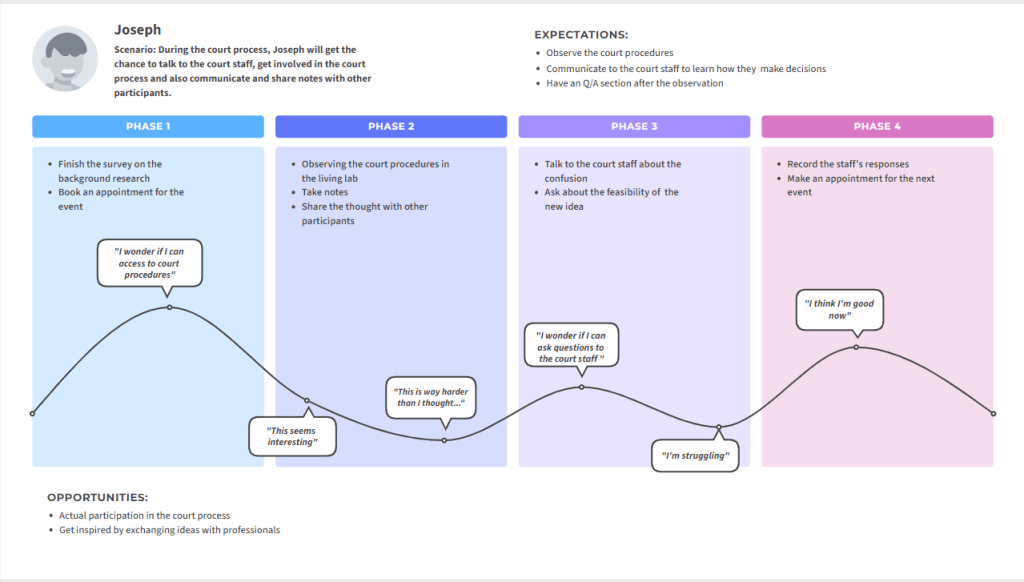
    Journey map outlining user interactions with the Living Lab, identifying pain points and opportunities for improvement.

    Key Findings

    • Individual Workspaces: Students wanted quiet, independent work areas; these were added to the final design.
    • Court Document Access: Requested both physical and online access for flexibility.
    • Information Desk: Students suggested a central Help Centre for schedules, bookings, and resources.

    Design Iterations

    Low-Fidelity Prototype

    • Focused on core layout and basic functionality.

    Medium-Fidelity Prototype

    • Added individual workspaces for quiet productivity.
    • Introduced a Help Centre/Information Desk.
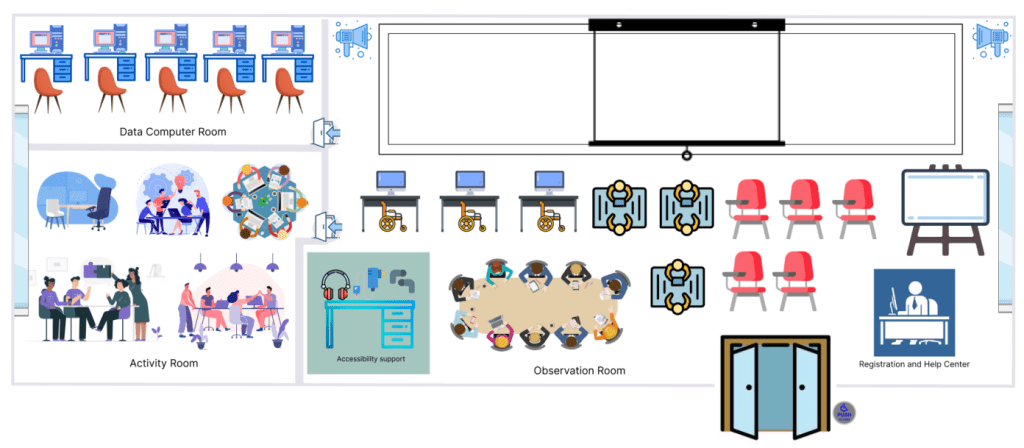
    Medium-fidelity prototype incorporating feedback, including dedicated individual workspaces and a Help Centre.

    Final Prototype

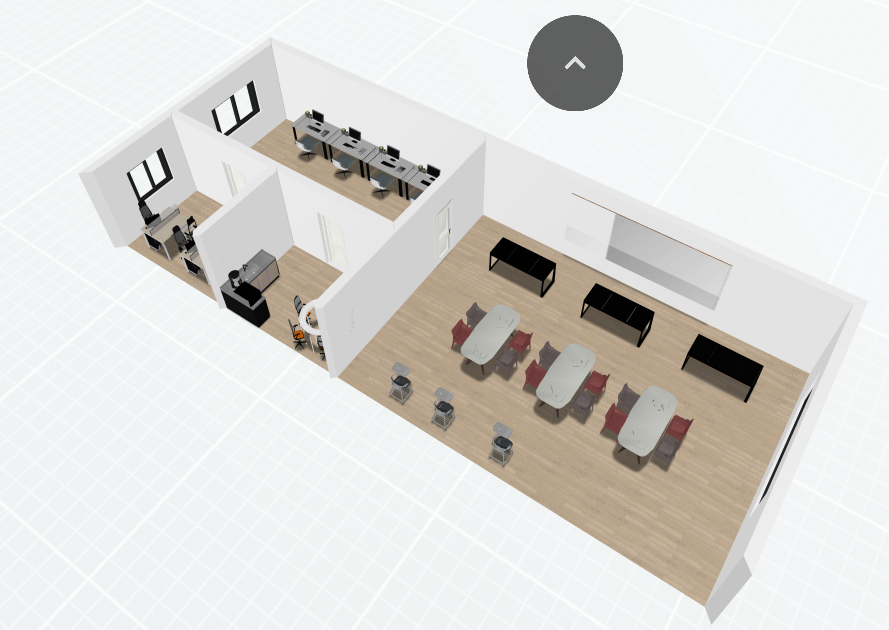
    • Ergonomic seating and group table spaces
    • One-way mirror for observing court sessions
    • Help Centre/Information Desk for mock trial bookings and document access
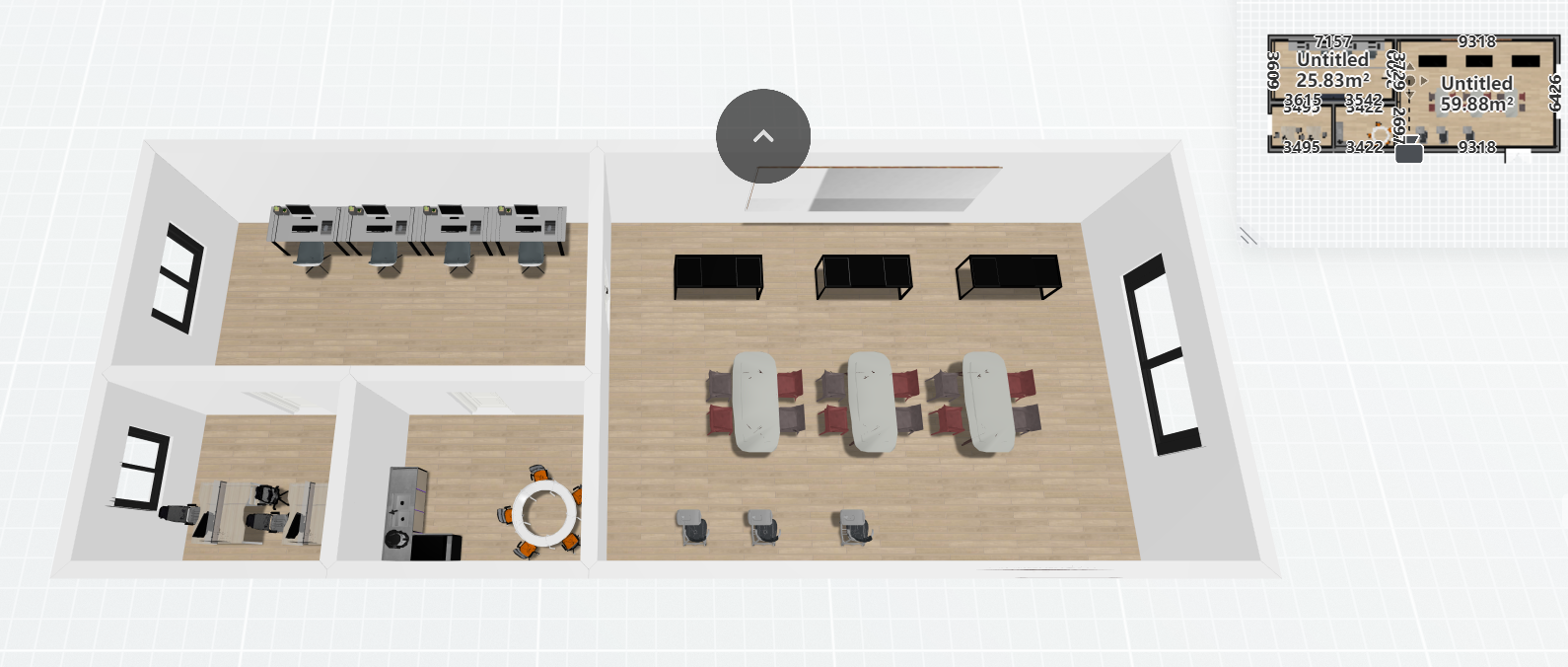
    Final 3D model visualizing classroom layout, accessibility features, and collaborative spaces.

    Challenges & Limitations

    • Small sample size (20 participants) limited generalizability.
    • Self-selection bias may have skewed results.
    • Low-fidelity prototypes couldn’t capture all user needs in detail.
    • Limited stakeholder communication occasionally slowed decision-making.

    Future Direction

    • Scheduled quiet work times and personal/handheld whiteboards.
    • Enable remote participation for students unable to attend in person.
    • Make court documents fully accessible online for independent research.

    What I Learned

    • Strengthened skills in designing for accessibility and inclusion.
    • Improved ability to synthesize research into actionable design decisions.
    • Gained experience balancing iterative design with group collaboration and stakeholder needs.
  • Enhancing the Musical Experience.

    Focus of the Box

    Our idea for this second project was to add on to our wireless speaker from the first assignment by connecting it to the internet through the use of electronic components. It will engage the following 4 senses; touch, sight, sound and motion.

    Our goal was to enhance and provide a way for individuals with disabilities related to their sense of sight and hearing to control their musical experiences.

    Senses

    For touch we will be incorporating the use of tactile materials, and navigation on a smartphone when its connected to the internet.

    For sight it will be incorporated through controlling the LED light brightness, and visuals like text, through our app,

    For hearing, sound will be played through the beeping from our proximity sensor, and a digital assistant tool who aids our visually impaired users through her automated voice, much like Siri or Alexa.

    Finally, motion, by moving your hand with a smartphone to detect the buzzer.

    Objectives


    Accesibility

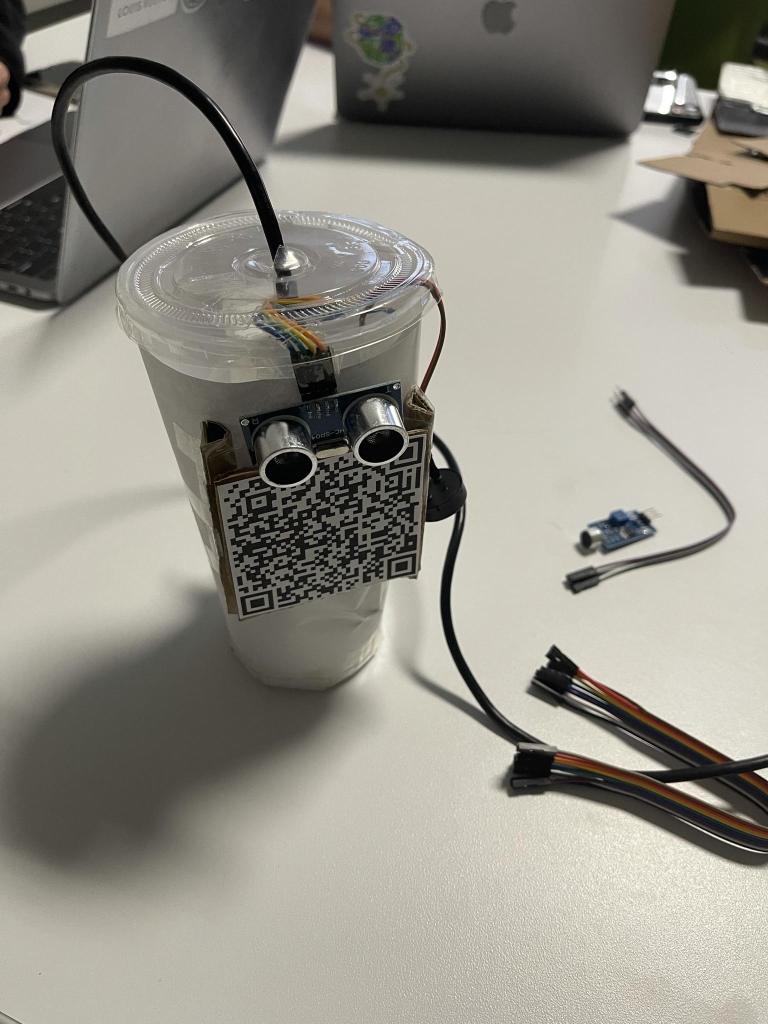
    Our first objective was in consideration of accessibility for our visually impaired users to be able to locate the QR code on the speaker so that they can effectively scan it.

    Consideration

    Our second objective is incorporating past features we had challenges with implementing before. For example, being able to diffuse our LED light’s brightness in consideration of user’s sensitivity to light.

    Functionality

    Our final objective focused on the functionality of our somatic connection to the internet and our Figma webpage application prototype

    Ideation

    We started the ideation process by thinking about how to connect our speaker to the internet using a smartphone, while also improving the experience for visually and hearing impaired users.

    We ultimately settled on a QR code on the tactile speaker that links to a webpage with information and controls. We knew what features to include to engage the senses and identified our target audience, but needed to develop the idea further.

    Internet of Things

    After clarifying that our final product is part of the “internet of things”, which involves everyday objects communicating through the internet.

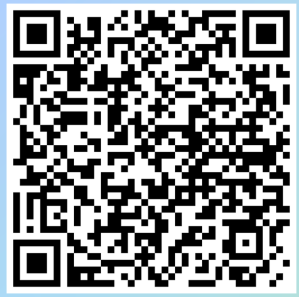
    The speaker uses a QR code that interacts with a smartphone and the internet. Scanning the code with a smartphone camera leads to a webpage where users can control LED light brightness and vibration frequency patterns. These features cater to user comfort and the experience of hearing impaired users.

    Creation

    Materials for Prototype

    We are repurposing materials we already have to make our prototype. Our materials are divided into three categories: Construction, Electronics and Decorations.

    The materials we used for construction include: Paper, scissors, we opted to use cardboard for making the 3D components because it was accessible, and a recyclable material

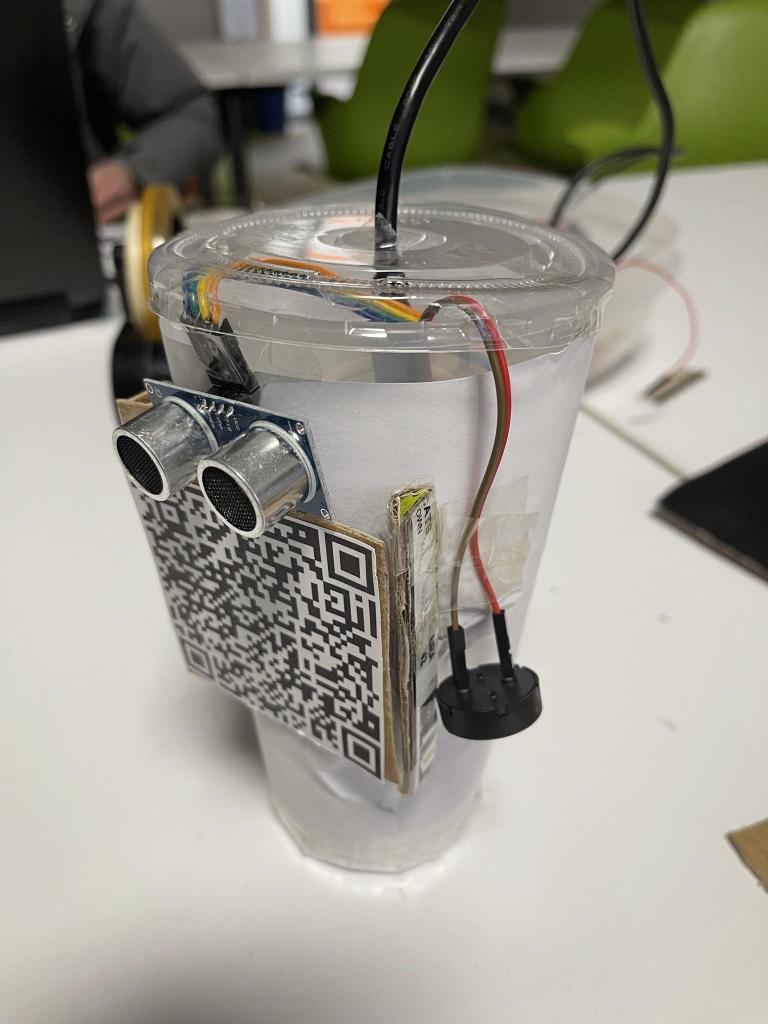
    For the electronics we used: The Ardunio UNO, an ultrasonic proximity sensor, and a buzzer.

    In regards to connecting it to the internet, we used: A QR code generator tool, Figma to develop our webpage application.

    Producing our Prototype

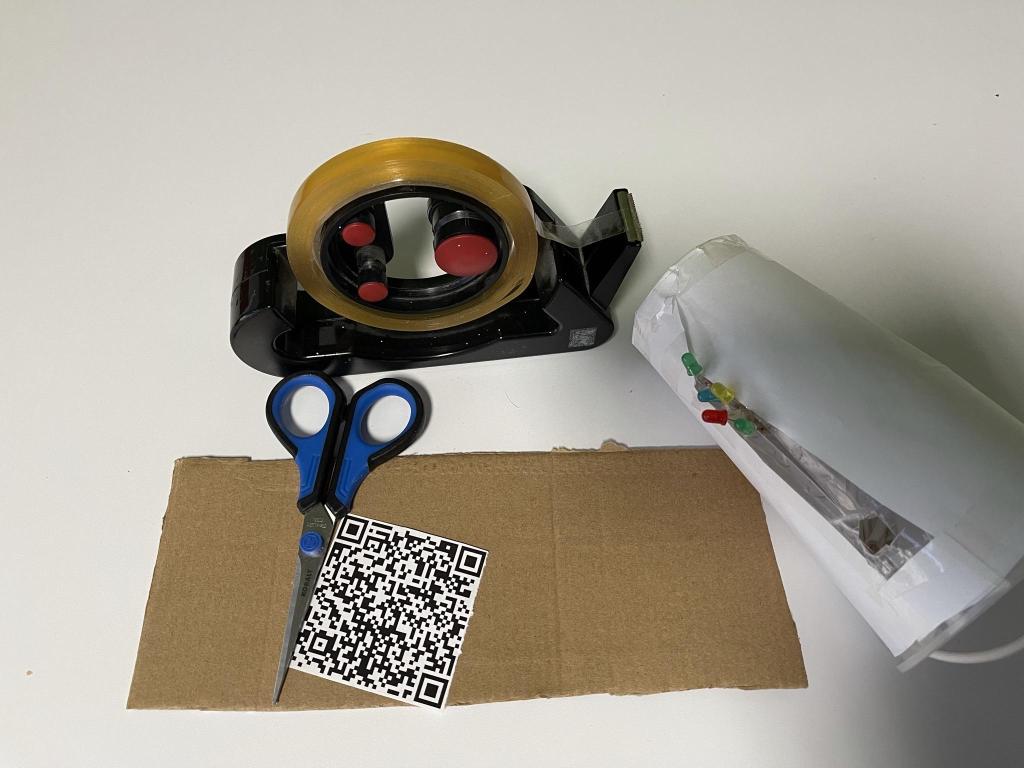
    We printed the QR code, and taped it on a piece of cardboard to ensure it was stable. We then made cardboard border pieces to tape on the sides of the QR code so that its raised enough for visually impaired users to use their sense of touch to feel where its located

    We plugged and coded our ultrasonic sensor and buzzer into Arduino Uno as the ultrasonic sensor controls the buzzer component


    Scan Me!

    The QR code will redirect you to a webpage. This webpage will allow user’s to control the brightness of the LED lights depending on their comfort levels, and control the vibration frequency patterns for our hearing impaired users to feel the music better when touching the speaker’s body.

    Users will also be able to view their music stats, such as how long the’ve been listening, and how many songs have played.


    Final Product

    Challenges & Future Iterations

    We were unable to conduct usability testing due to a short time frame. We also had trouble ensuring that the QR code was scannable, and that the ultrasonic sensor controlled the buzzer component properly.

    Additionally, research could be conducted on how the brightness level or vibration frequency controls would connect and function with the tactile speaker. The sound could also be modified, potentially increasing the volume of the sound of the buzzer.

    Reactions

    Our audience was well receptive of our speaker. We had no real feedback for

  • Enhancing the Musical Experience

    Focus of the Speaker

    Our prototype idea is a wireless bluetooth speaker that engages the 4 senses of touch, sight, motion and hearing.

    Our goal is to enhance the musical experiences of users with hearing and visual related disabilities.

    Senses Engaged

    For sight, we use the implementation of LED lights that light up to the song’s music beat and illuminate our user’s experience’s visually.

    For motion we plan to incorporate motion sensors that can react to gestures done close to the speaker that can increase or decrease the music’s volume.

    And for hearing, we have the speaker of course playing different sounds according to the music users choose to play.

    Objectives


    Longevity

    For our current prototype, we used reusable materials like paper, the plastic cup and Arduino that may be unassembled to use for other projects. As for future iterations, we plan to aim for heightened sustainability by using biodegradable materials like bamboo or bioplastics.

    Accesibility

    We want to ensure accessible use for our visually and hearing impaired users while catering towards other considerations that these user groups may face such as sensitivity to light.

    Functionality

    We want to ensure that the design for each feature and its somatic senses, operate efficiently and how we planned for it to work in order to improve our user’s musical experiences.

    Creation

    Materials for Prototype

    We are repurposing materials we already have to make our prototype. Our materials are divided into three categories: Construction, Electronics and Decorations.

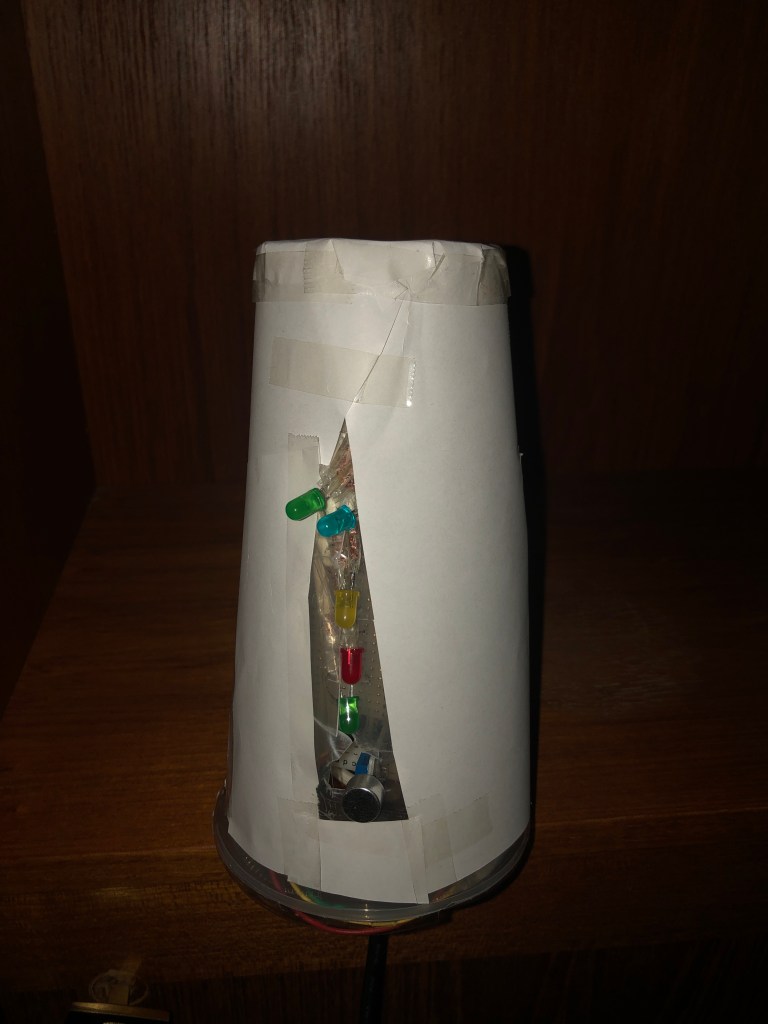
    The materials we used for construction include: A recycled water bottle for shaping, scissors for in incisions or small cuts, tape for holding pieces together.

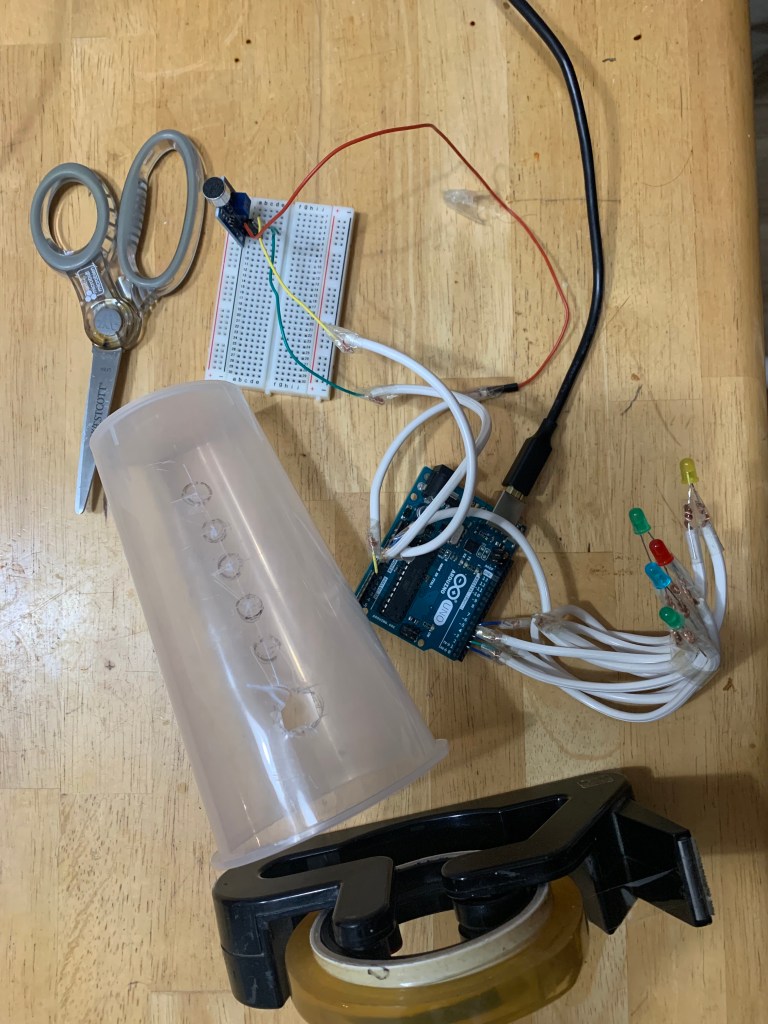
    For the working light and sound sensor electronics we used: The Ardunio UNO, a Breadboard, 5 individual LEDs, a sound intensity sensor, and wires.

    And for the decoration aspect we used paper and tape for covering the cup and holding it together.

    Producing our Prototype

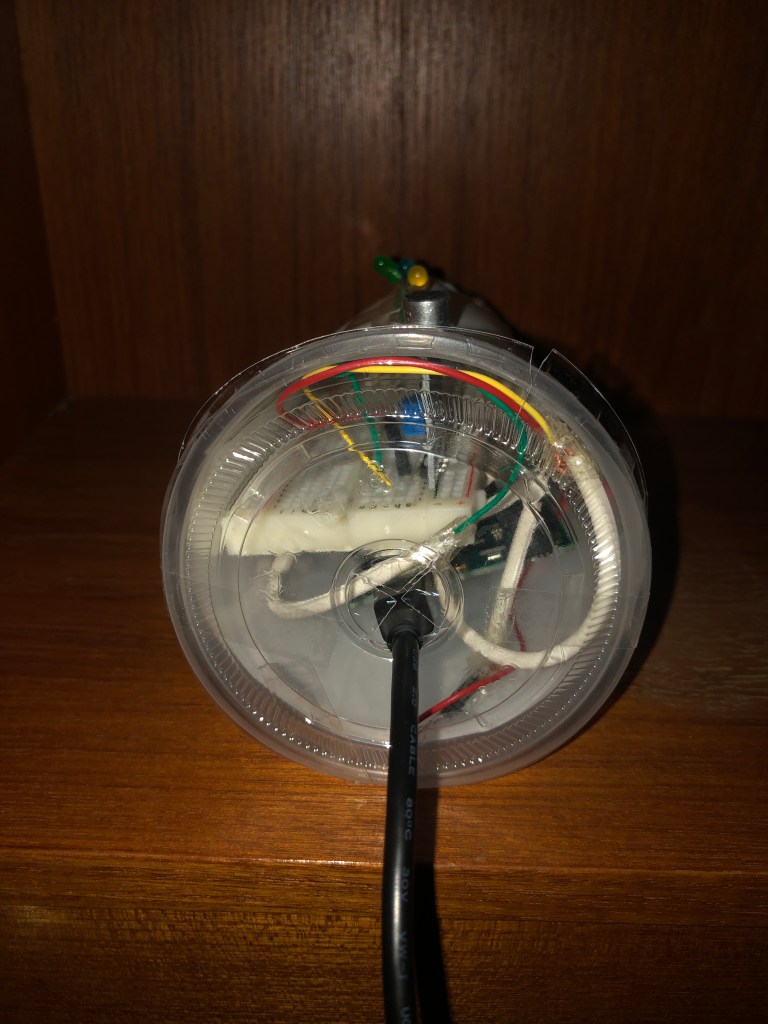
    We produced our prototype by using a plastic cup as the structure and the base for the speaker, and created outlines for where our LEDs and sensor would fit, using a pen.

    We then coded the LED lights and sensor using the Arduino UNO.

    We placed all the electrical components inside the cup and poked the LEDs and sensor through their holes, and closed the cup with its lid and taped paper around the structure to ensure the Arduino and wires were covered from the outside.


    Final Product

    Challenges

    We experienced a few minor technical challenges when developing our prototype. We would’ve created an even better prototype if we didn’t limit ourselves on our time.

    We would’ve liked to have put more thought into fully developing more ideas and incorporating them differently.

    Reactions

    Our audience was well receptive of our speaker. We had no real feedback for

    My group and I are proud of the box we created.